Creating Images with Branding Logo using Stable Diffusion and ControlNet
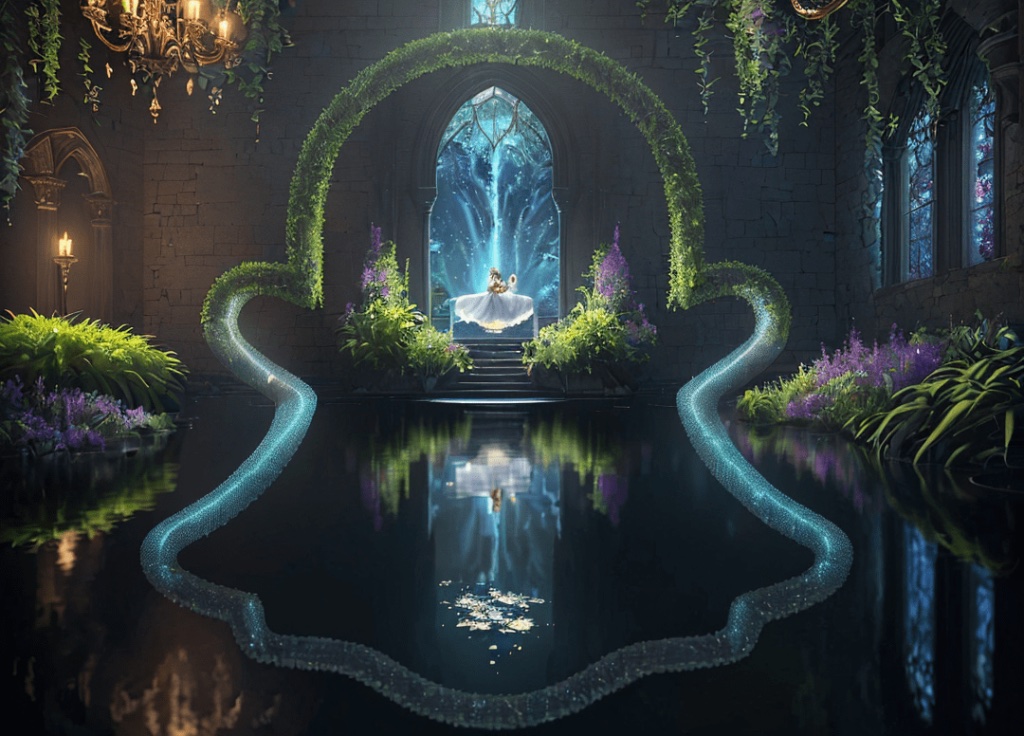
Welcome to this tutorial! We'll show you how to create images with branding logo by Takin.AI and Stable Diffusion WebUI. We'll take the Snapchat logo and give it a fresh twist.
Image generation by Takin.AI
Generating a new logo with Takin.AI is simple.
Step 1: Find and Prepare the Logo
First, locate a suitable Snapchat logo image. Ensure the logo color is #000 (black) and the background color is #fff (white). You can find logos on sites like Font Awesome. Note that images from Font Awesome do not have pre-set backgrounds. The easiest approach is to change the logo color to black and take a screenshot.

Step 2: Upload and Customize
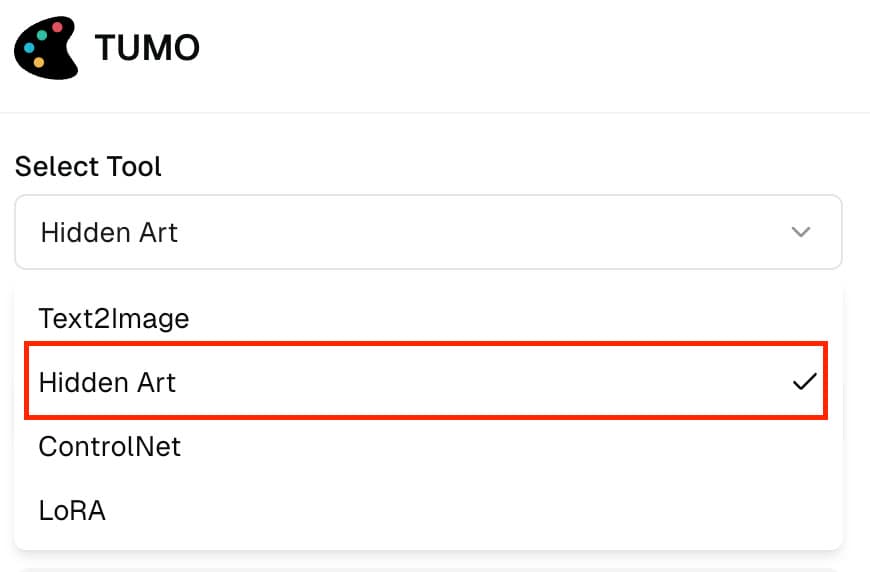
Select "Tumo" in the app, select Hidden Art as your tool.

Choose Hidden image. Upload your logo, and adjust the parameters to your liking.
Input the prompt and adjust the parameters. Here is the prompt we used:
A castle in the morning, by the ocean surrounded by glowing plants and flying fireflies, reflection in the water
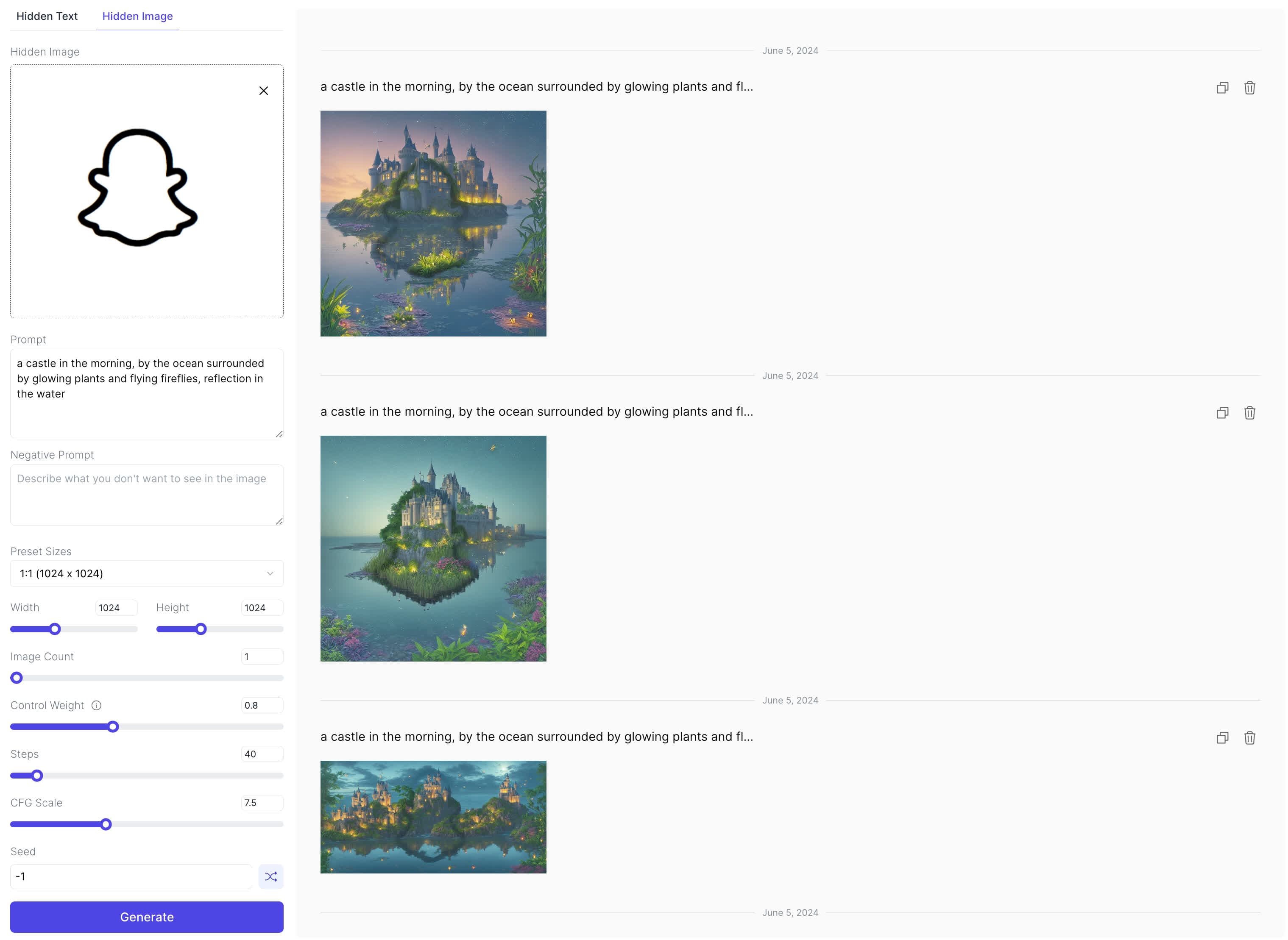
Image generation by WebUI
Step 1: Set the Parameters
To begin, you can find a model you like. In this tutorial, we will use the revAnimated_v122 model, but feel free to choose any other model that suits your needs. Set the prompt and parameters according to your preferences. Here I put my parameters for reference.
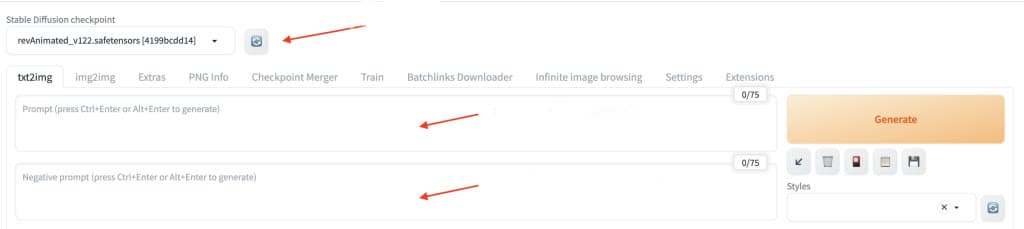
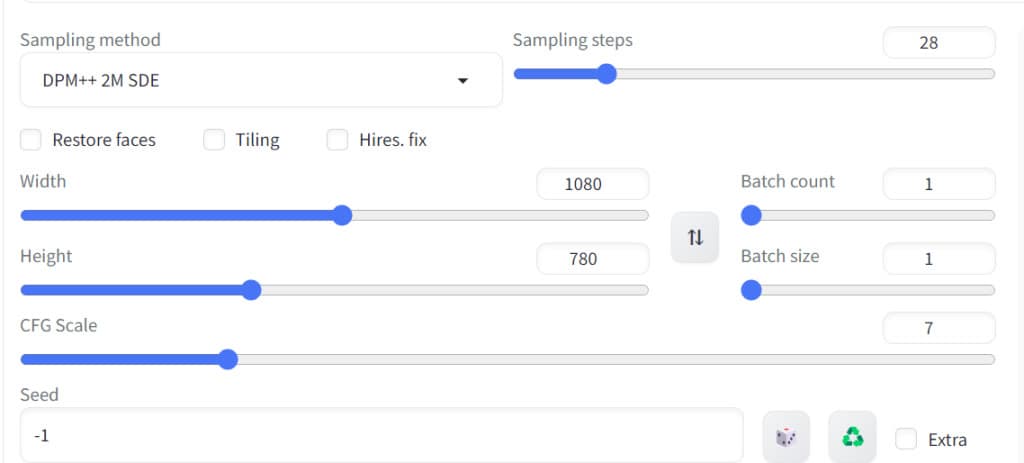
To understand the meanings and functions of these parameters, refer to this link:
https://takin.ai/learn/basic-stable-diffusion-text2image-parameters
Step 2: Prepare a logo image
Get the logo as mentioned above.
Step 3: Generating the new appearance of the logo
Import the Snapchat logo image prepared in Step 2 into ControlNet.
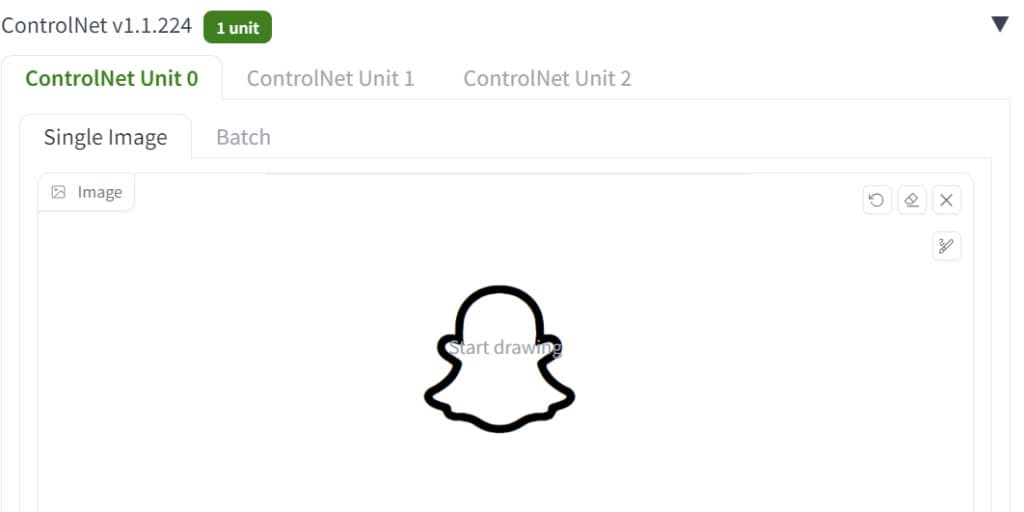
Set the appropriate preprocessor and model settings in ControlNet. Adjust the control weight to achieve the desired output.
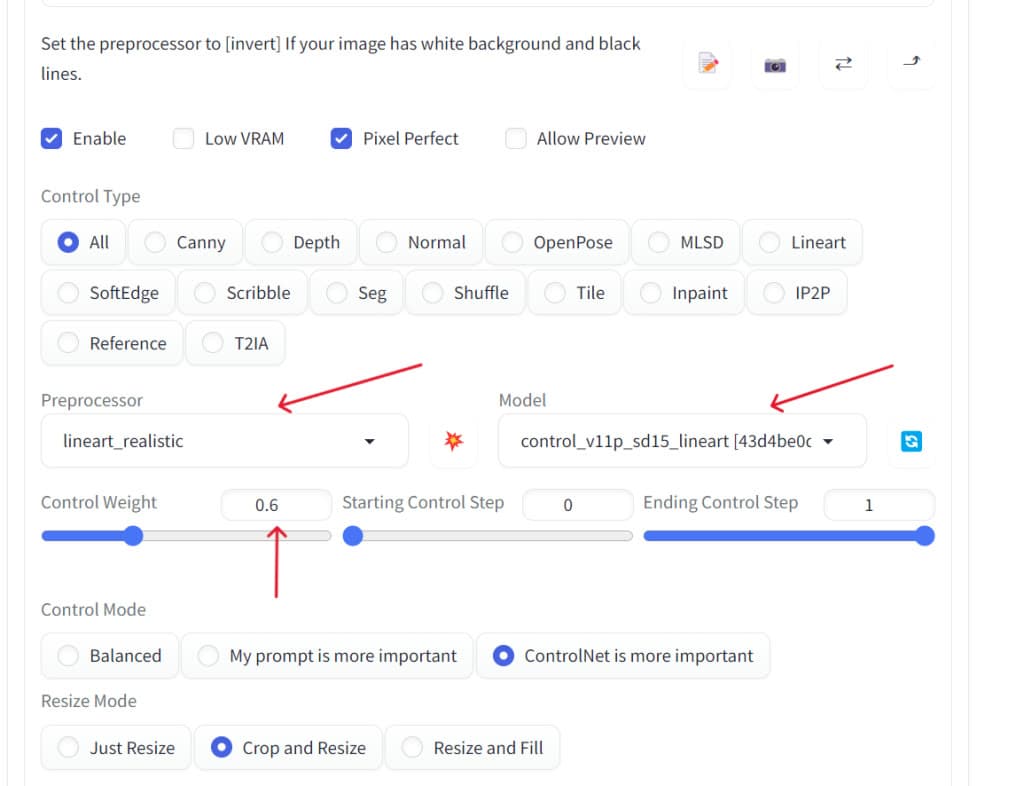
Step 4: Generate
Click Generate and you will see your picture.
Test
Now we put prompts and enable ControlNet to generate the picture:
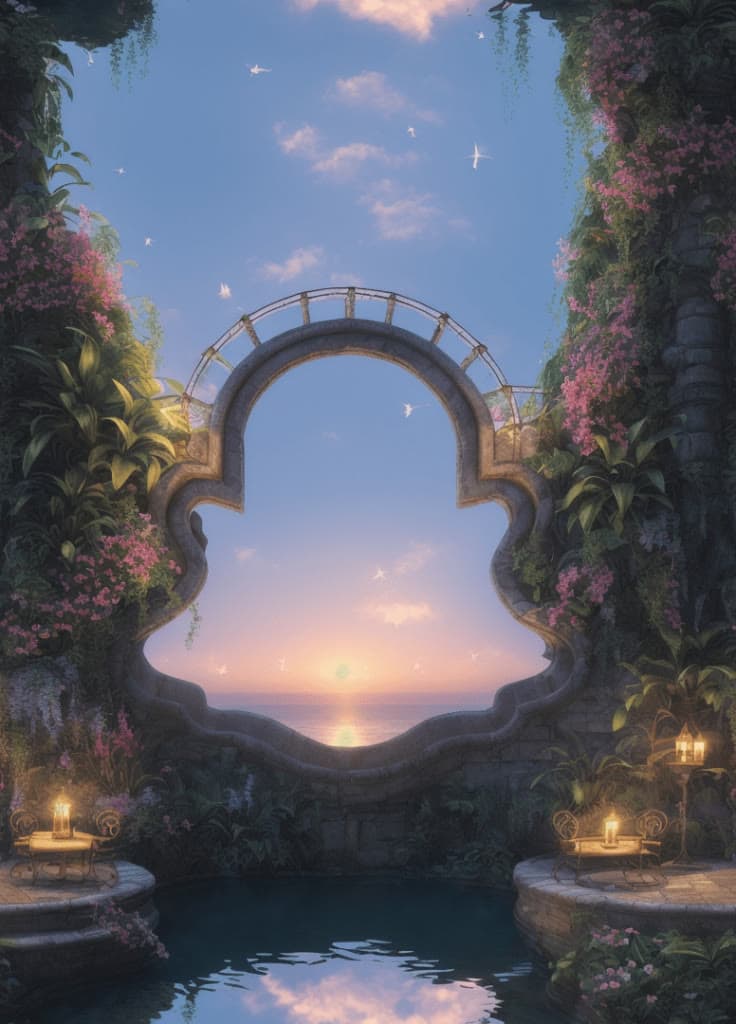
Prompt we used:
In a castle, by the ocean surrounded by glowing plants, surrounding by flying fireflies in a morning, beautiful and bright, aesthetic, beautiful composition, rich bright colors, reflection in the water, magic, awe-inspiring
Two TikTok logos:

Prompt we used:
Seabed, Ice, Font art, Snow, Clean, Highly stylized, Unreal Engine 5 rendering
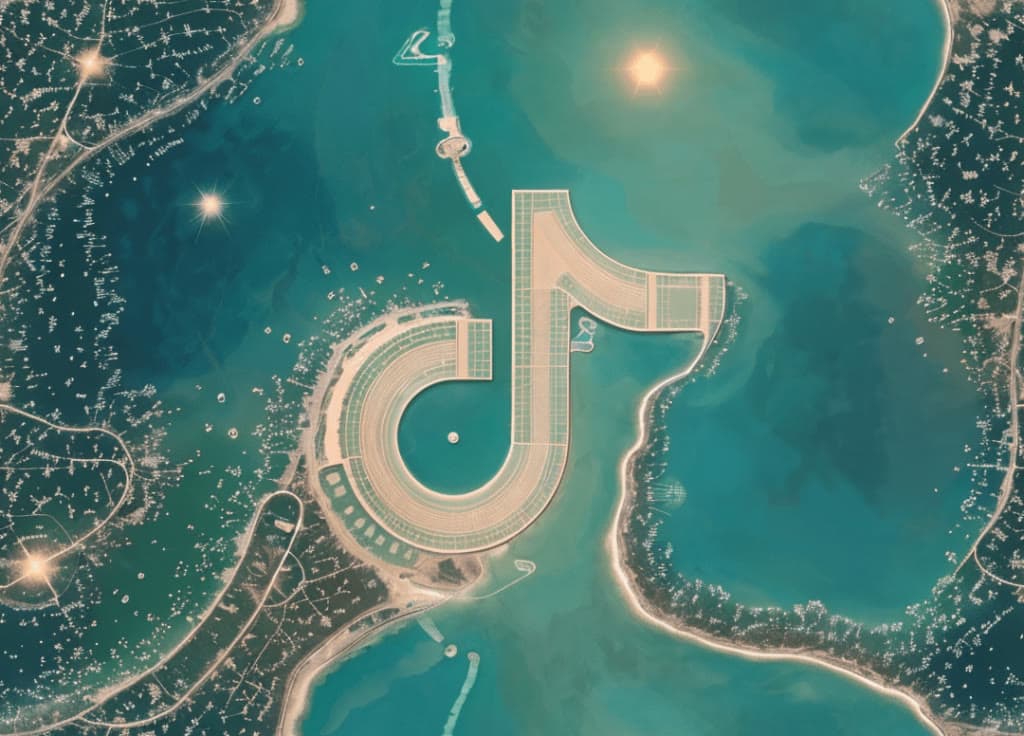
Prompt we used:
Concept art a surreal sight of a crystal-clear lake in the middle of the desert, reflecting the stars of the Milky Way. The juxtaposition of the arid landscape and the tranquil waters adds a dream-like quality to the scene, digital artwork, illustrative, painterly, matte painting, highly detailed
Additional Tips
- Feel free to experiment with different Stable Diffusion models and prompts to explore a wide range of creative possibilities.
- Optimize the control weight based on your preferences to fine-tune the output.
Co-developed with Rain Jiang.