
I find I have to tell developers (sometimes even developers with a few years' experience) again and again how to properly manage environment variables - so I write this simple post so that I can just send a link.
Don'ts
Don'ts: DO NOT ever write the keys in your code - you will forget and push the keys to your repo.
Dos
Do one of the followings (I use OPENAI_API_KEY as an example and my preferred way is method 2):
- use
exportcommand
-
Open terminal and run
export OPENAI_API_KEY=sk-xxxxxxx -
Test that key is correctly set as an environment variable
import os

if os.getenv("OPENAI_API_KEY") is not None:
    print("OPENAI_API_KEY is ready")
else:
    print("OPENAI_API_KEY environment variable not found")
- use
.envfile
-
create a
.envfile in the root of the project folder to store the environment variables - this file is gitignored by default (or add this file to.gitignore)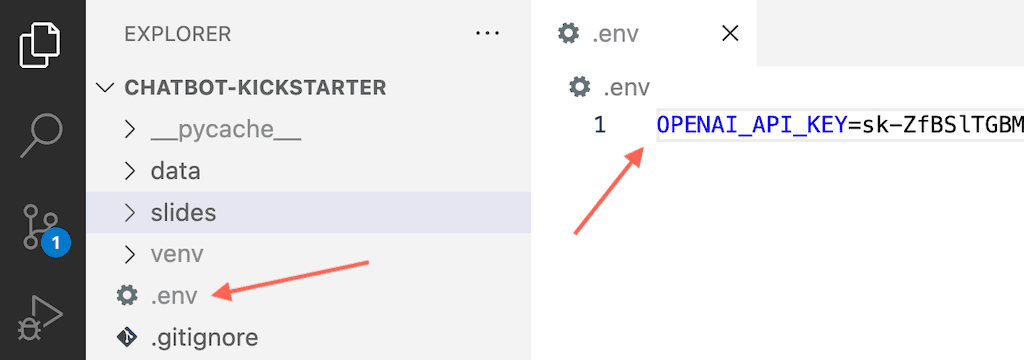
-
create
requirements.txtand include packages to install by putting the following lines in the file (two packages as examples):openai python-dotenv -
create a virtual environment and install the packages specified in
requirements.txt:python -m venv venv source venv/bin/activate pip install -r requirements.txt -
load keys from
.envfile:import openai import os from dotenv import load_dotenv load_dotenv() openai.api_key = os.getenv('OPENAI_API_KEY')
Method 2 above is my preferred way especially when you have many environment variables to manage.
PS. The featured image for this post is generated using HiddenArt tool from Takin.ai.