MVP (large language Model + Vector database + Prompt engineering)

Update (10/7/2023): I revised another "ChatPDF" app using LangChain and Qdrant here.
I revised the sample chatbot kickstarter app developed by Colin Jarvis from OpenAI, which shows how you can create apps (Q&A and Chatbot) using ChatGPT and your own data.
Instead of using the well-known term RAG (Retrieval Augmented Generation), I created a new acronym for this common architecture:
MVP: M (large language Model) + V (Vector database) + P (Prompt engineering)
If a fine-tuned LLM is used, then it is FMVP (Fine-tuned MVP).
My revised code repo with setup instructions is here.
Data
I used the rulebooks from NBA and IFAB for the demo.
- NBA Official Rulebook 2022-23
- IFAB (International Football Association Board) Laws of the Game 2023-2024 - I removed all images in the PDF to reduce the file size.
If you want to use other data, just put the PDF files in data folder.
Key Steps
I list the basic steps of the development workflow below - many of the steps have nothing to do with ChatGPT:
Preparation:
- Split documents (PDF files in this example, which are extracted into text files) into chunks (300 in this example)
- Get the text embeddings of the chunks (OpenAI
text-embedding-ada-002is used but this can be replaced by any text embedding API/Package) - Store the chunks in the vector database (Redis is used but we used Milvus and Qdrant in production).
Q&A (single-turn chat via Completion endpoint):
- Get user query (such as 'what is a penalty kick') and generate the text embedding of the query
- Use the query embedding to search for text chunk embeddings stored in the vector database and get the Top N search results
- Ask ChatGPT to answer the question based on the Top N search results and summarize it using a bulleted list - this is the prompt engineering part
summary_prompt = '''Summarise this result in a bulleted list to answer the search query a customer has sent.
Search query: SEARCH_QUERY_HERE
Search result: SEARCH_RESULT_HERE
Summary:
'''
Chatbot (multi-turn chat via Chat Completion endpoint):
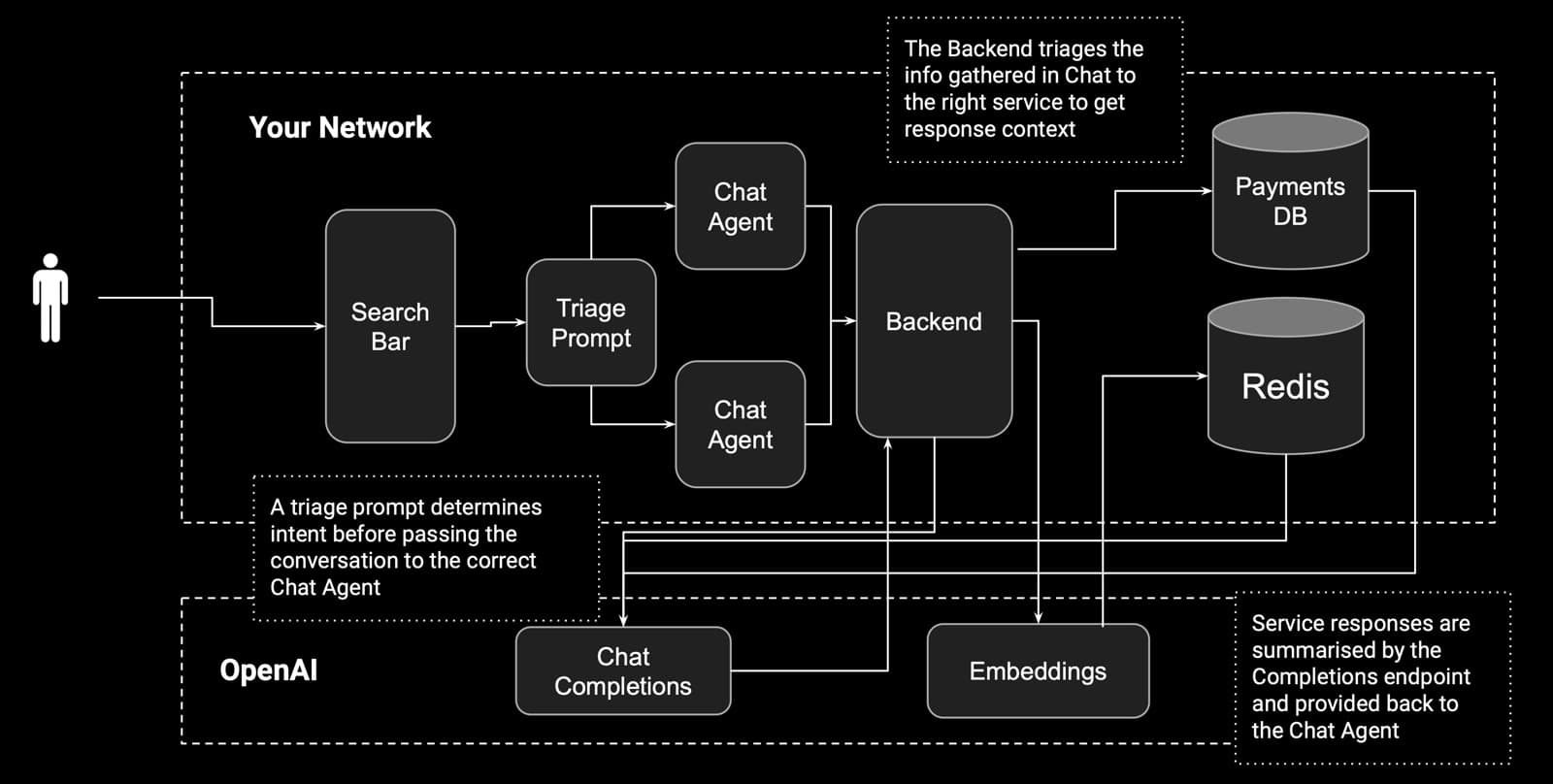
- Use the system prompt to guide the behavior of the ChatGPT, such as telling the role of the Chatbot as a sports knowledge base assistant
- Use the system prompt to tell ChatGPT to ask for the type of sport if not presented in the query
- Use the system prompt to say a trigger word/phase ("searching for answers" in this demo) for downstream tasks (search the vector database for answers - this could be anything, e.g., book a dinner, post to Instagram, do a Google search)
- All previous messages are appended to the next API call to ChatGPT to provide context
system_prompt = '''
You are a helpful sports knowledge base assistant. You need to capture a Question and Sport from each customer.
The Question is their query on sports rules, and the Sport should be either basketball or soccer.
Think about this step by step:
- The user will ask a Question
- You will ask them for the Sport if their question didn't include a Sport
- Once you have the Sport, say "searching for answers".

Example:

User: I'd like to know how many players are on each team

Assistant: Certainly, what sport would you like this for?

User: basketball please.

Assistant: Searching for answers.
'''
The following figures are from the slides shared by the original author of the app.
How to use triage prompts and chat agents to build apps for various business scenarios:
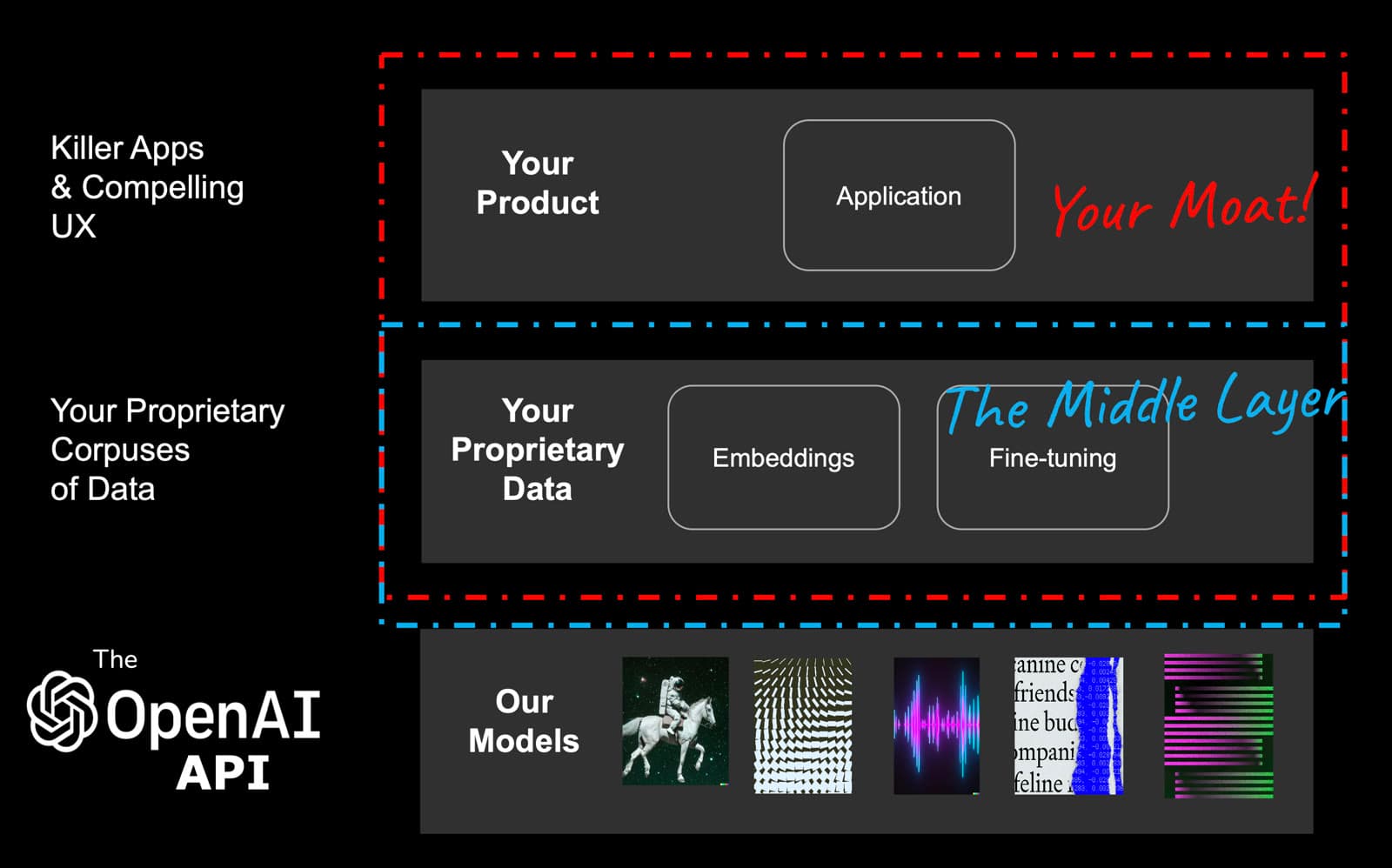
How companies can build their own moats based on the MVP architecture:
PS. The featured image for this post is generated using Stable Diffusion, whose full parameters and the model links can be found at Replicable.Art.