
Sometimes you want to build on top of a public GitHub repo—but keep your changes private. GitHub doesn’t allow you to fork a public repo and then make that fork private.
For example, we open sourced Tumo but we still need to build on top of it to add new features for Takin.ai integration.
In this post, I demonstrate a clean, best-practice way to develop privately based on a public repo without forking.
I will use the Nextbook repo as the public repo example and want to change it to private with takin-nextbook as the name.
Here is the workflow:
-
Clone the Public Repo Locally
Start by cloning the public repository to your local machine:
git clone https://github.com/harrywang/nextbook takin-nextbook cd takin-nextbook -
Remove the Original Remote (Optional but Recommended)
This prevents you from accidentally pushing changes back to the public repo:
git remote -v origin https://github.com/harrywang/nextbook (fetch) origin https://github.com/harrywang/nextbook (push) git remote remove origin -
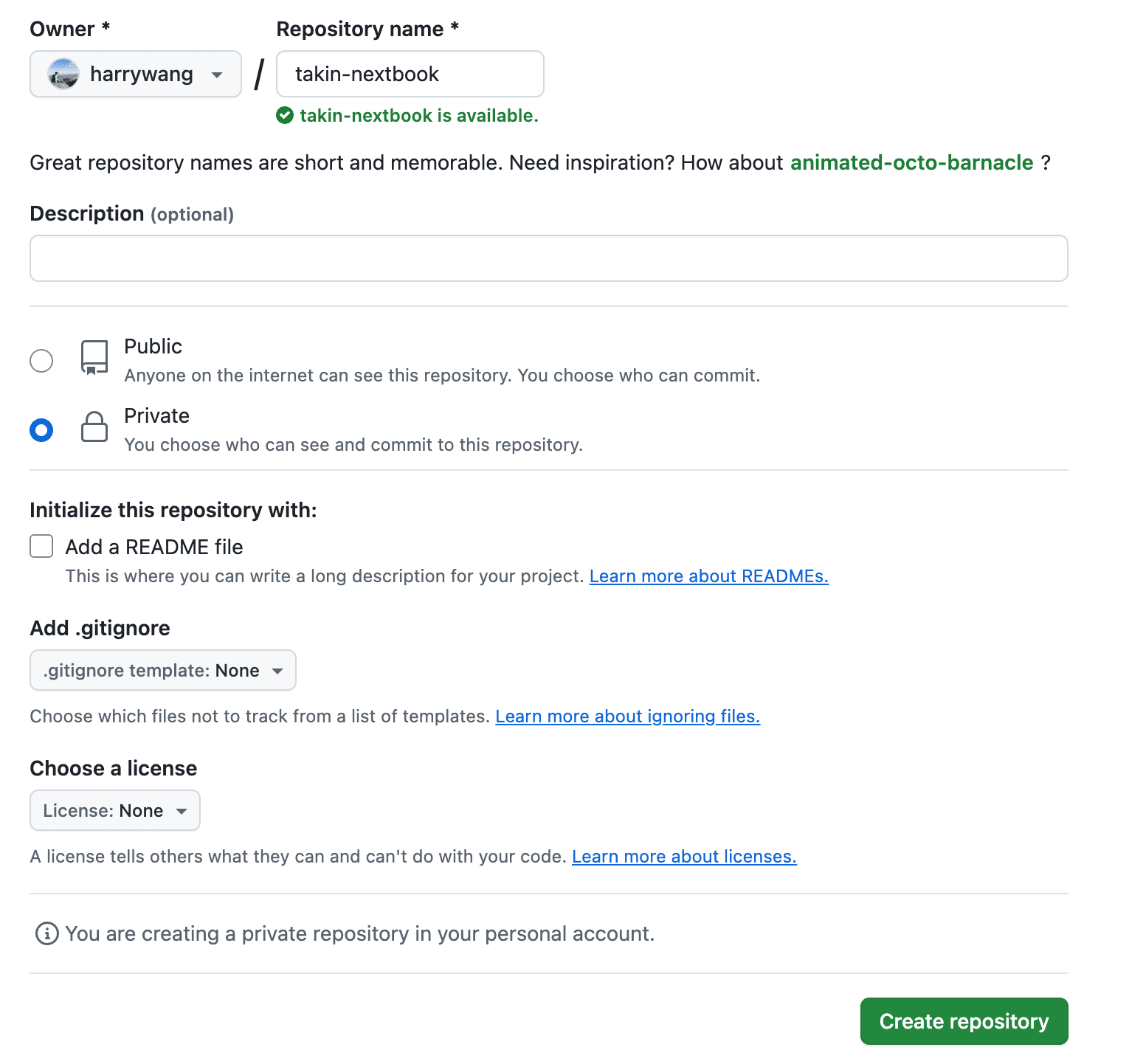
Create a New Private Repo
Go to GitHub and create a new private repository.
-
Add Your New Private Repo as a Remote
Once the private repo is ready, link it to your local repo:
git remote add origin https://github.com/harrywang/takin-nextbook.git git remote -v origin https://github.com/harrywang/takin-nextbook.git (fetch) origin https://github.com/harrywang/takin-nextbook.git (push) -
Push Your Code to the Private Repo
Push your code to the new private repo:
git push -u origin main -
If you still want to receive updates from the original public repo, add it as an upstream:
git remote add upstream https://github.com/harrywang/nextbookTo pull updates later:
git fetch upstream
git merge upstream/main

or

git pull upstream main
Now that your private repo is your working main codebase with the original public repo as an upstream.