
In this tutorial, I will teach you how to become a self-made millionaire in 30 minutes :)
......
by issuing 1 million ERC20 tokens on Ethereum (or Polygon) with gas estimation and contract verification, and then optionally listing the token on a decentralized exchange like Uniswap.
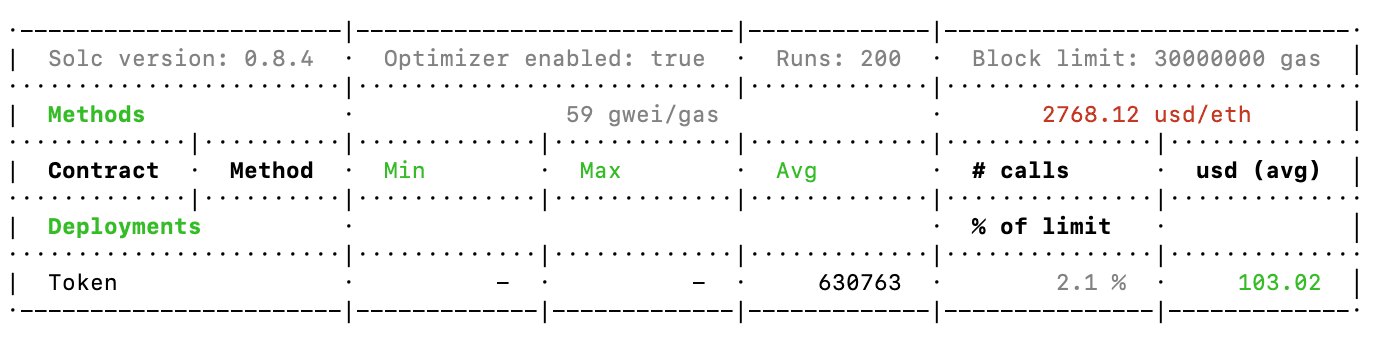
It cost me $99.6 to deploy the contract to issue 1 million Wild Idiot Token (WIT) on Ethereum, which you can check at Etherscan.
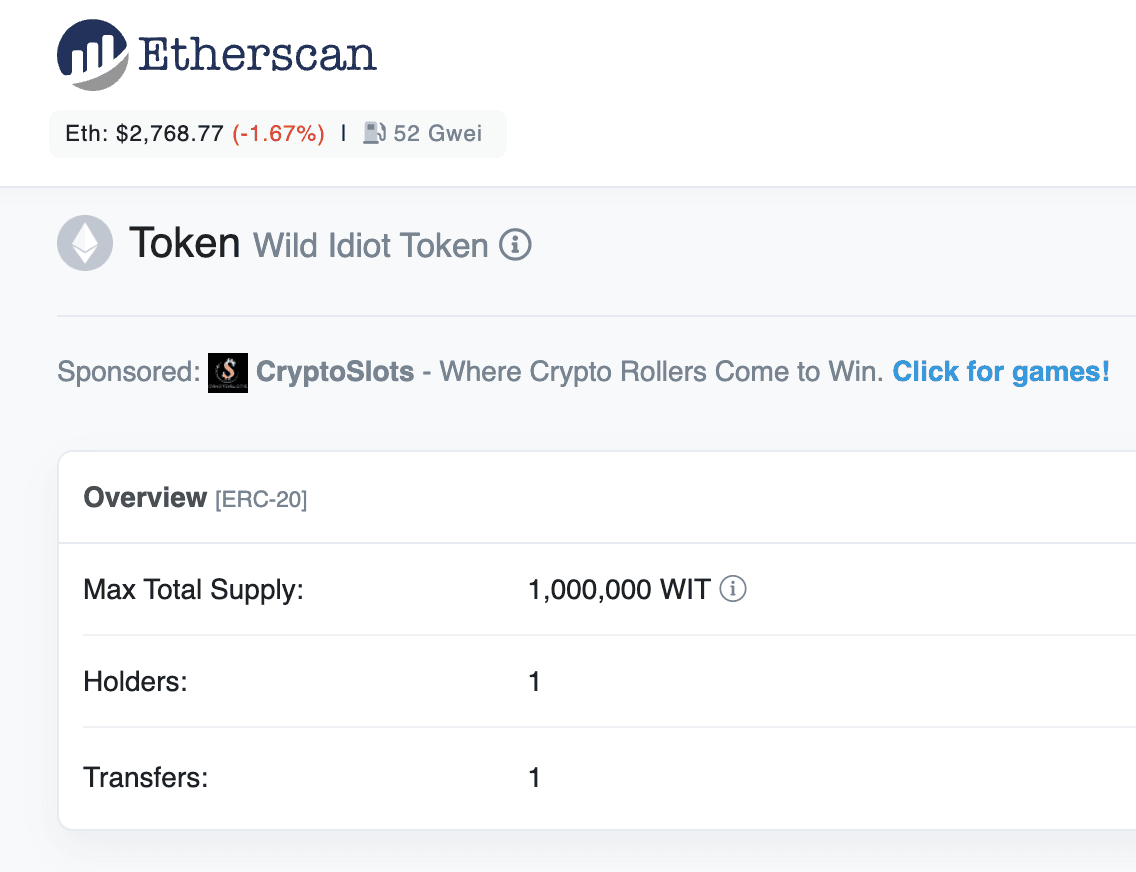
According to https://etherscan.io/tokens, there are 528,938 ERC20 tokens as of 5/1/2022 and you will find how easy it is to issue one of your own after this tutorial.
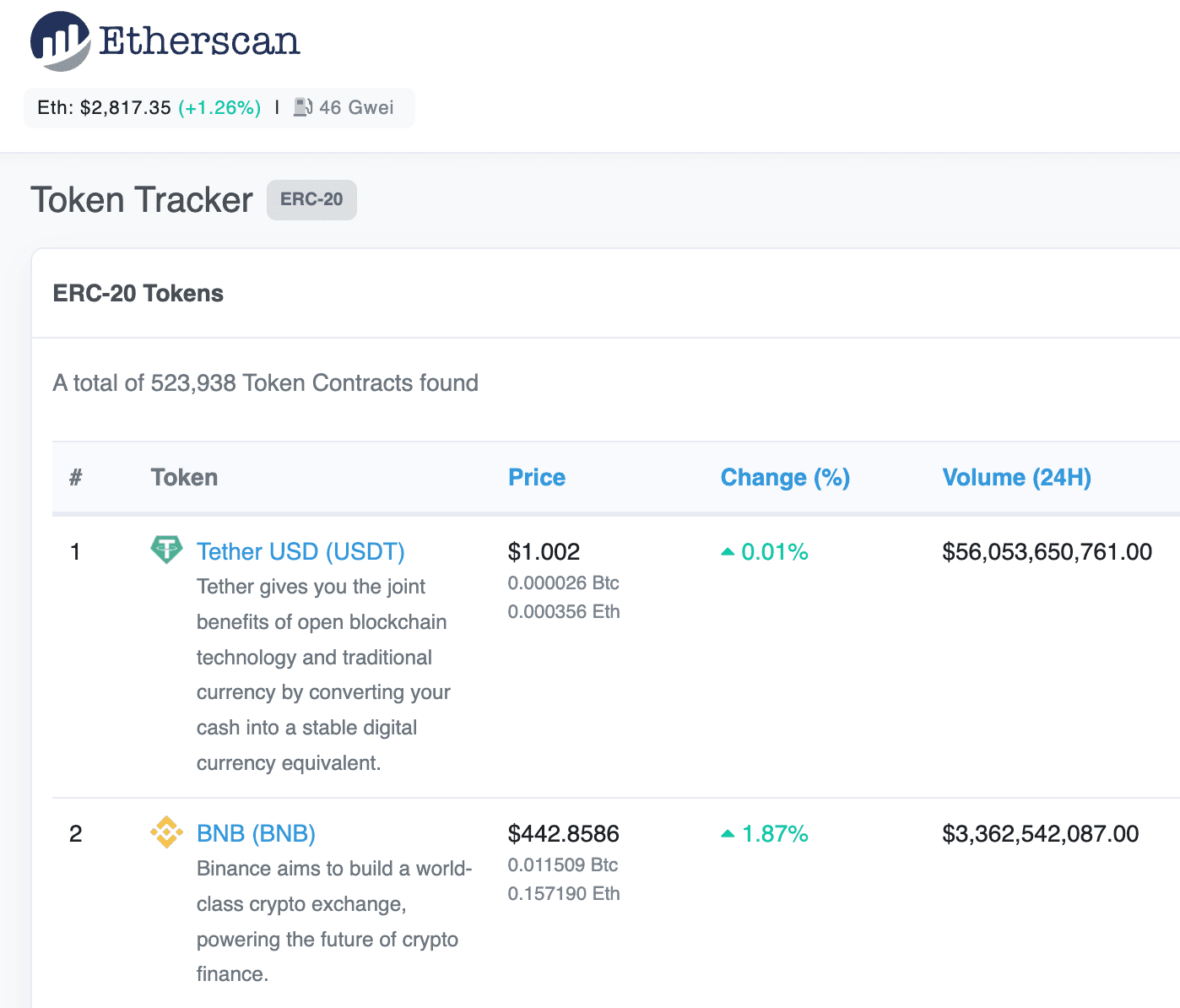
The followings are used in this tutorial:
- Solidity
- Hardhat
- Alchemy
- OpenZeppelin
- ethers.js
Get the code from this repo.
If you have an account with some ETH, you only need to do the followings:
- Get a free RPC link from https://www.alchemy.com/
- Clone the repo and install the packages
- Setup the environment variables
- Set the token name, symbol, and initial supply
- Run one command to deploy the tokens
All above could be done in 30 minutes or less.
Setup
Clone the repo and switch to the folder:
git clone https://github.com/harrywang/wit.git
cd wit
Install the packages:
npm install ethers hardhat @nomiclabs/hardhat-waffle ethereum-waffle chai @nomiclabs/hardhat-ethers @openzeppelin/contracts hardhat-gas-reporter @nomiclabs/hardhat-etherscanEnvironment Variables
Create .env file in the root folder with the following environment variables - MAKE SURE to gitignore this file.
- get the private key of the account that you want to use to deploy to Ethereum or Polygon (How-to).
- get free RPC links for different networks from https://www.alchemy.com/
- if you want to use gas estimation, get a free API key from https://coinmarketcap.com/, see more instructions here
# private key for deploying the contract
PRIVATE_KEY='fd89bdcxxxx'

# API Key for estimate gas using CoinMarketCap
CMC_API_KEY='55578fe5-xxxx'

# API Key for verifying contract on Etherscan or Polygonscan
ETHERSCAN_API_KEY='8EFN286J3Uxxx'
POLYGONSCAN_API_KEY='KWD8AESGxxx'

ENVIRONMENT='dev'
ALCHEMY_URL_MUMBAI='https://polygon-mumbai.g.alchemy.com/v2/p0CT1Tty3v5Pxxxx'
ALCHEMY_URL_POLYGON='https://polygon-mainnet.g.alchemy.com/v2/iz7EgWttP1xxxx'
ALCHEMY_URL_ETHEREUM='https://eth-mainnet.alchemyapi.io/v2/2Y8ep8l3YLtrdxxxx'Contract Testing and Gas Estimation
compile the contract:
npx hardhat compiletest the contracts, which also compile the contract:
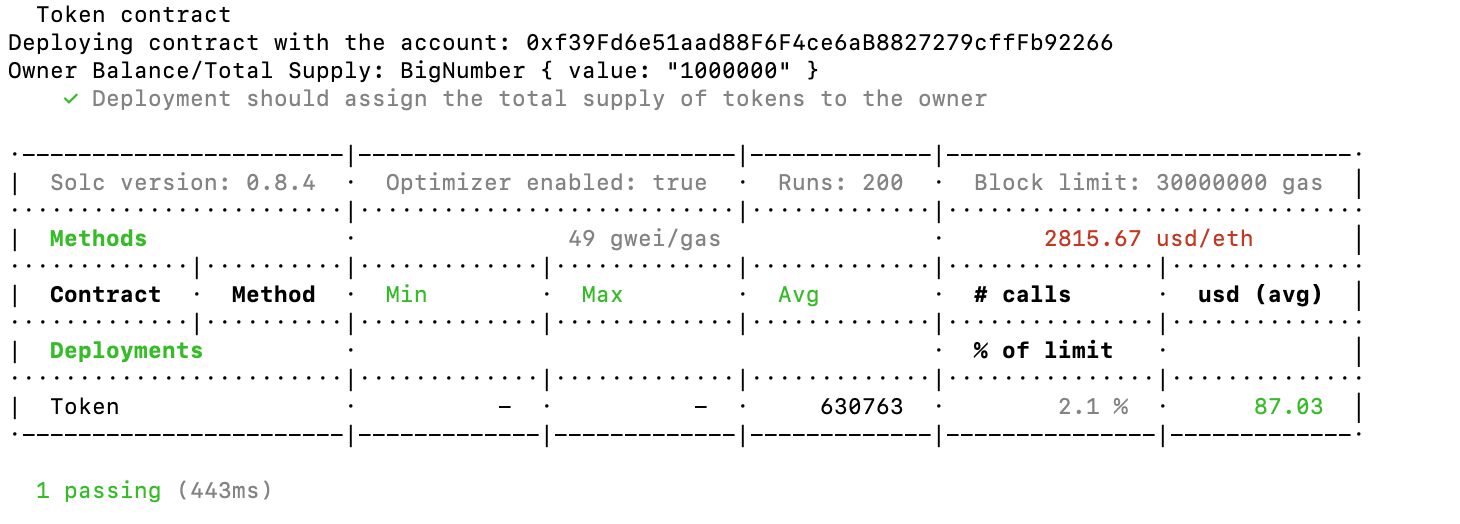
npx hardhat test- a local node is started in the background
- the first test account
0x...2266is used to deploy the contract - a gas estimation report is also generated, check my documentation for that here
Contract Deployment
Local Node
start the local node:
npx hardhat node20 test accounts have been created:
WARNING: These accounts, and their private keys, are publicly known.
Any funds sent to them on Mainnet or any other live network WILL BE LOST.

Account #0: 0xf39fd6e51aad88f6f4ce6ab8827279cfffb92266 (10000 ETH)
Private Key: 0xac0974bec39a17e36ba4a6b4d238ff944bacb478cbed5efcae784d7bf4f2ff80

Account #1: 0x70997970c51812dc3a010c7d01b50e0d17dc79c8 (10000 ETH)
Private Key: 0x59c6995e998f97a5a0044966f0945389dc9e86dae88c7a8412f4603b6b78690d
Deploy the contract to the local node - the first account is used to pay the gas fee:
NOTE: Every time you run this command, the contract is deployed again into a different address
npx hardhat run scripts/deploy.js --network localhost

Deploying contract with the account: 0xf39Fd6e51aad88F6F4ce6aB8827279cffFb92266
Token deployed to: 0x5FbDB2315678afecb367f032d93F642f64180aa3
and the test node terminal console has the output:
web3_clientVersion (2)
eth_accounts
eth_chainId
eth_accounts
eth_blockNumber
eth_chainId (2)
eth_estimateGas
eth_getBlockByNumber
eth_feeHistory
eth_sendTransaction
  Contract deployment: Token
  Contract address:    0x5fbdb2315678afecb367f032d93f642f64180aa3
  Transaction:         0xa3742b40578b69e68ea4d66da2e4f9054a53e9e96445ffb4afb87915b64557ef
  From:                0xf39fd6e51aad88f6f4ce6ab8827279cfffb92266
  Value:               0 ETH
  Gas used:            630763 of 630763
  Block #1:            0xacdfb348103f3ff6840e71faf92e8478fa8ce3e8140a12e214404fd24dd854d9

eth_chainId
eth_getTransactionByHash
eth_chainId
eth_getTransactionReceipt
Mumbai
Deploy on Mumbai testnet:
- get some test MATIC from https://faucet.polygon.technology/
- Change the
.envtoENVIRONMENT='mumbai'and run the following: - (Optional if you use different accounts for different networks) Change the private key of the Mumbai test account:
PRIVATE_KEY='0xaxxx'
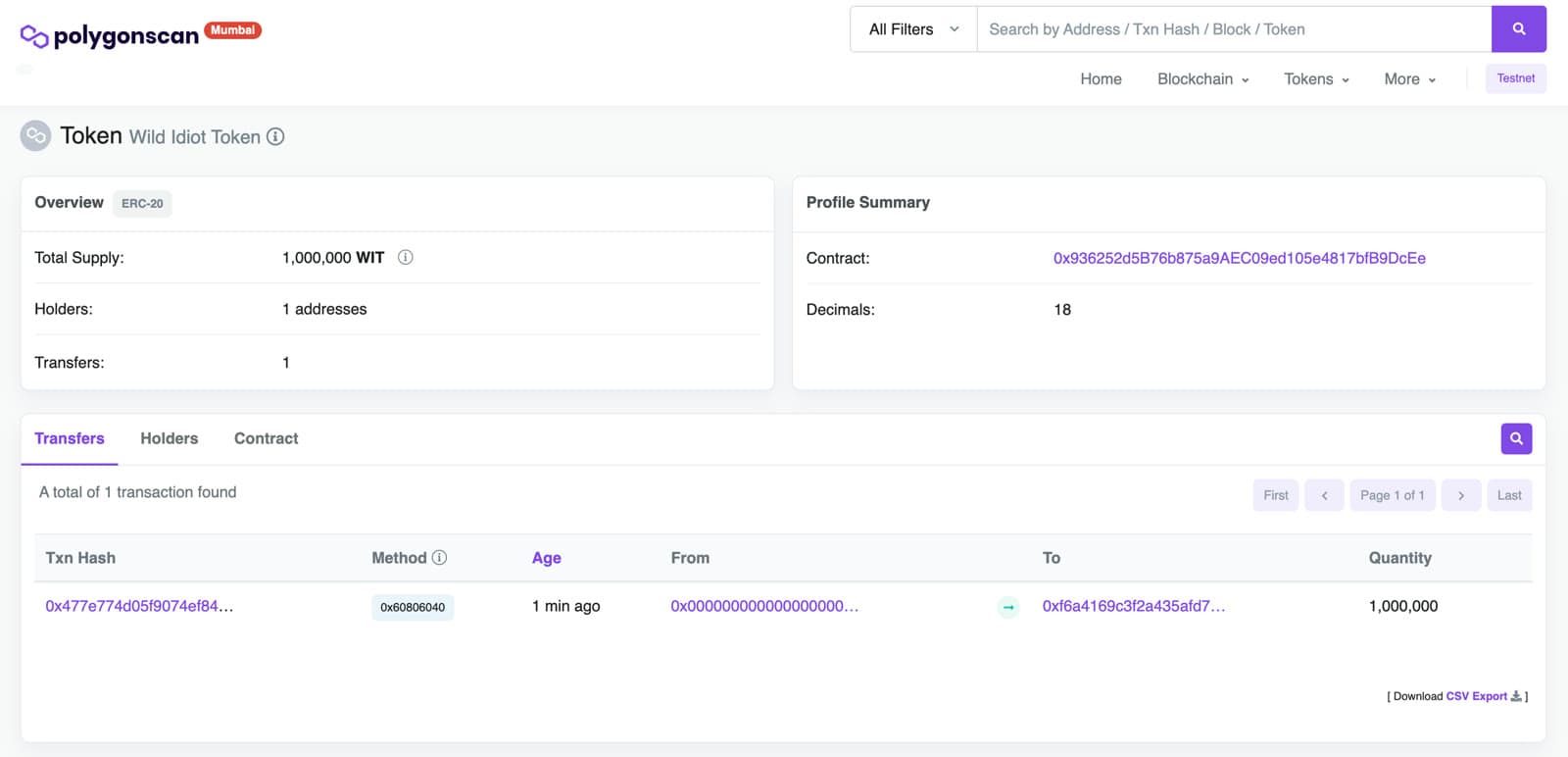
npx hardhat run scripts/deploy.js --network mumbai

Deploying contract with the account: 0xf6a4169C3f2a435afd78c48E6a3f99F4a174A5Df
The initial supply is: 1000000.0
Token deployed to: 0x936252d5B76b875a9AEC09ed105e4817bfB9DcEe
View deployed contact at mumbai.polygonscan.com
Import the WIT token in MetaMask using the token contract address:
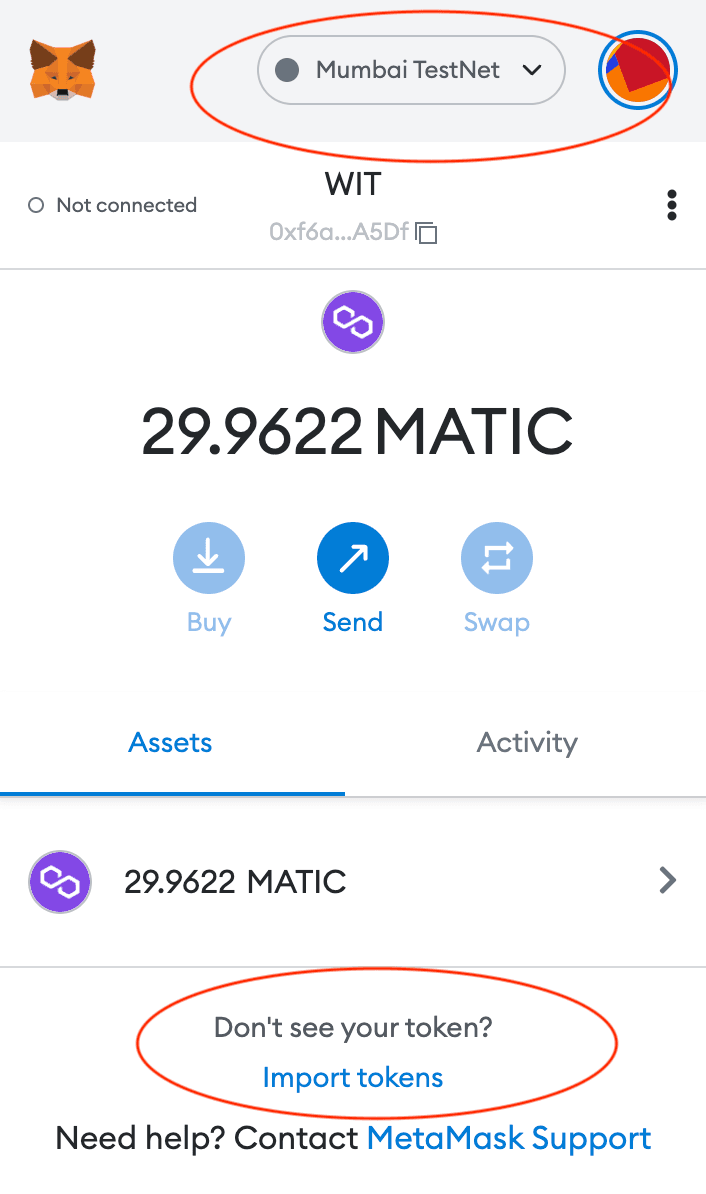
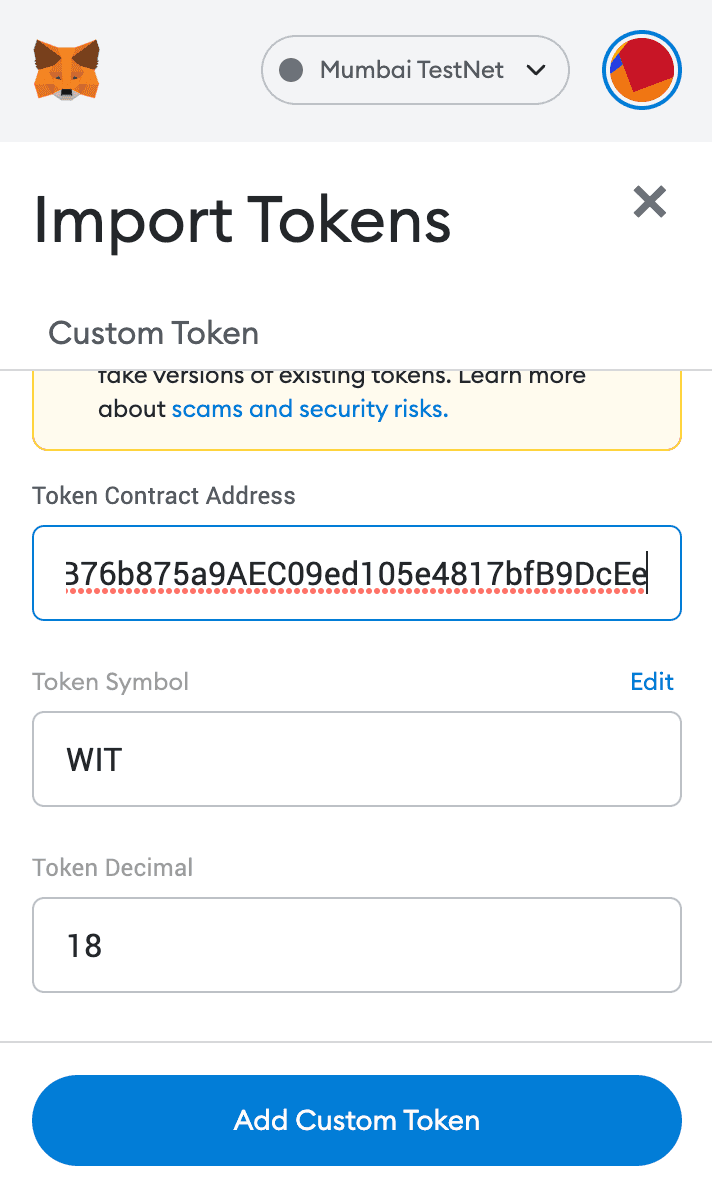
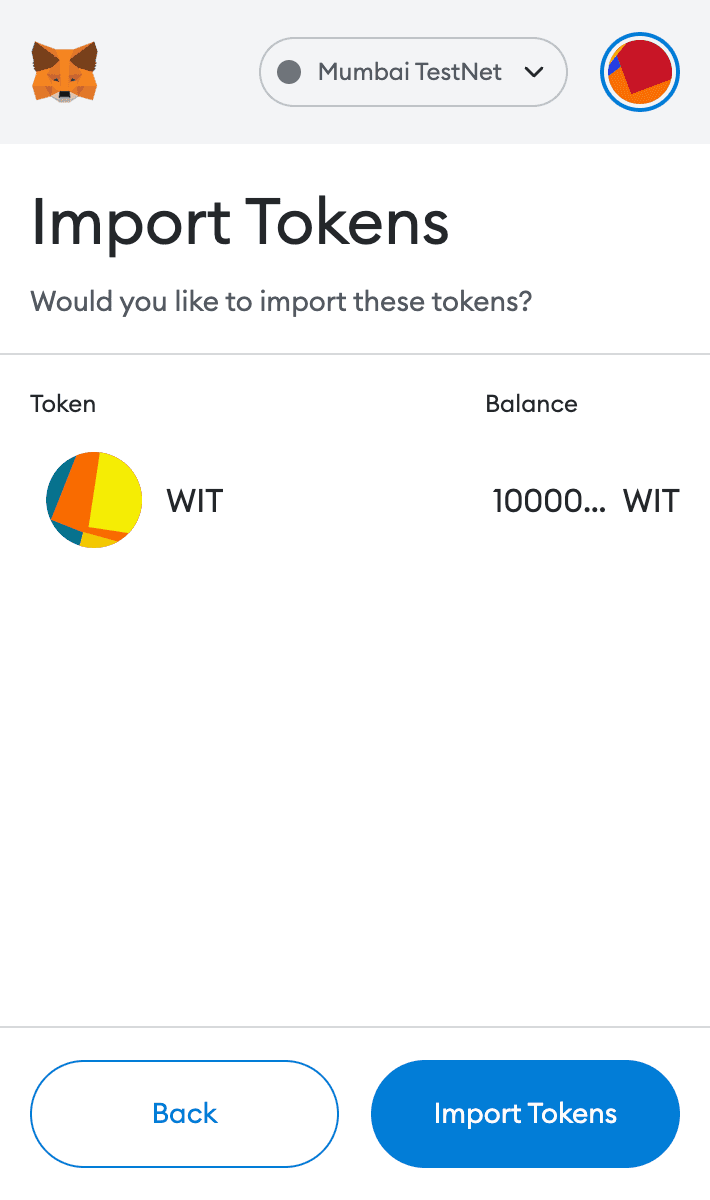
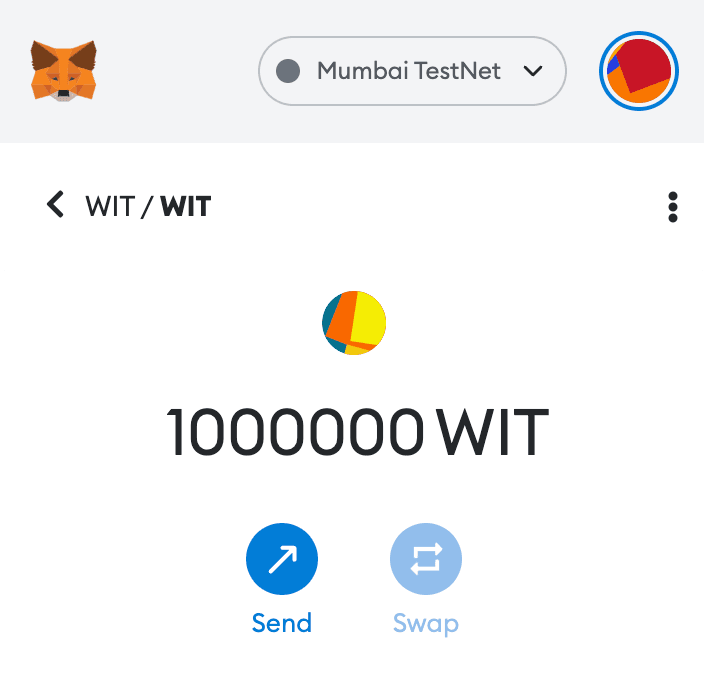
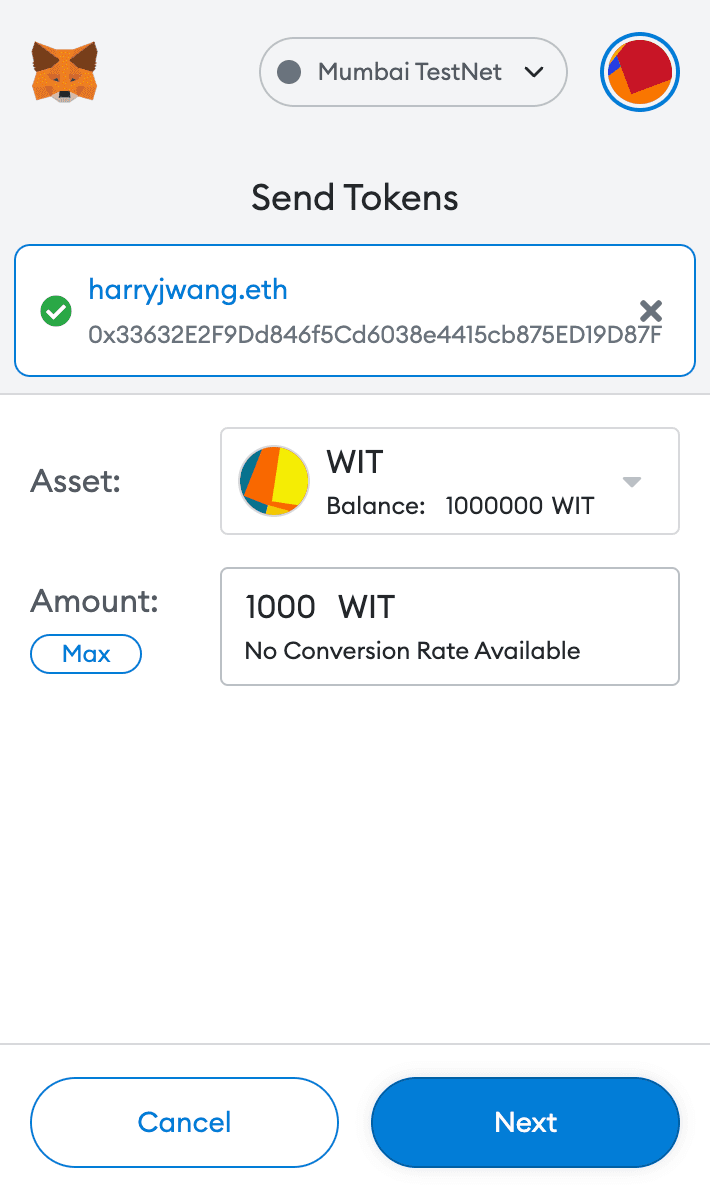
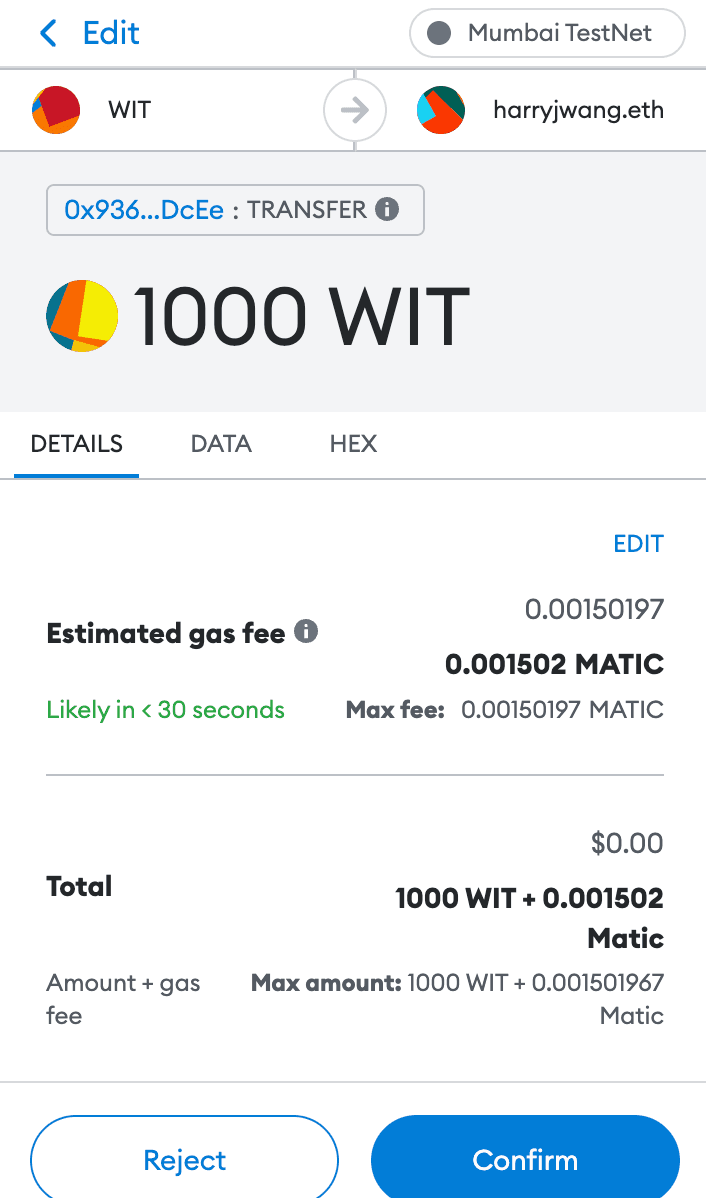
You can send and receive WIT now:
Polygon
Deploy on Polygon main network is essentially the same as on Mumbai. Just load some real MATIC and run:
npx hardhat run scripts/deploy.js --network ploygonView deployed contact at polygonscan.com
Ethereum
Deploy on Ethereum mainnet with some real Ether:
npx hardhat run scripts/deploy.js --network ethereum

Deploying contract with the account: 0xf6a4169C3f2a435afd78c48E6a3f99F4a174A5Df
The initial supply is: 1000000.0
Token deployed to: 0x1E8Aa19bA80007374181e48106DDD9c00CeC09cb
View deployed contact at etherscan.io
The real transaction cost me: $99.6 and the gas estimation right before I deployed the contract was $103.02 - pretty good.
Now, I am a self-made millionaire! :)
Load WIT token is simple:
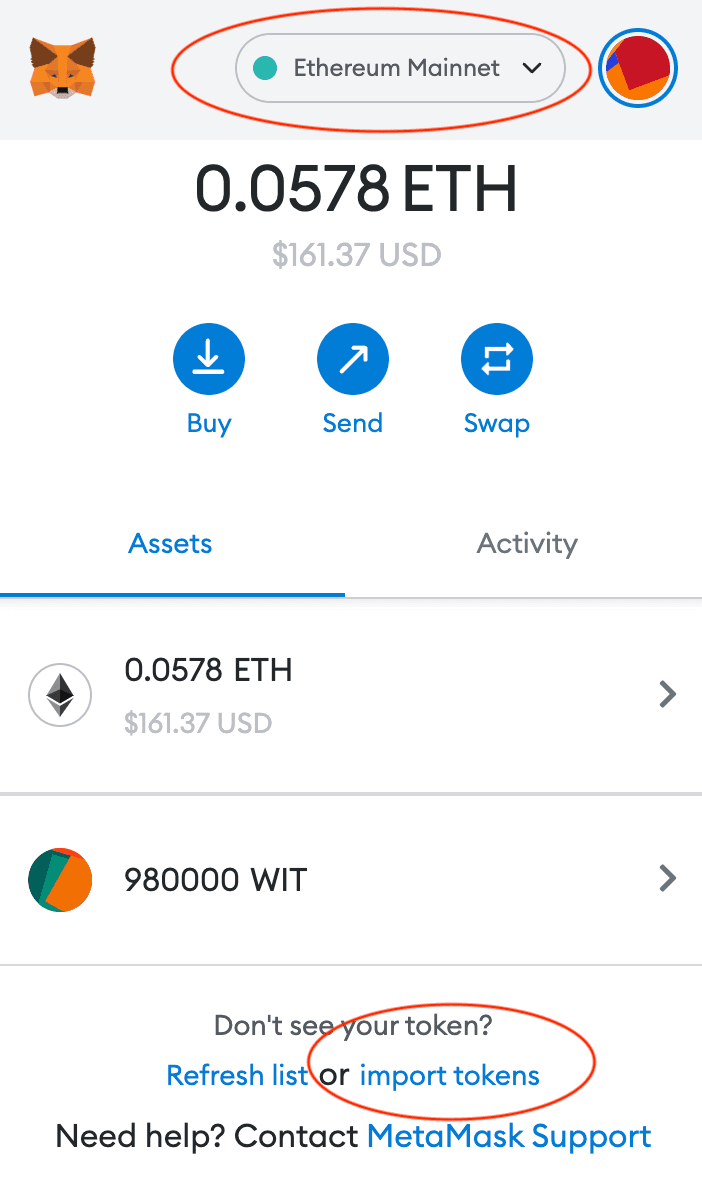
Then, enter the contract address in the form shown below:
0x1E8Aa19bA80007374181e48106DDD9c00CeC09cb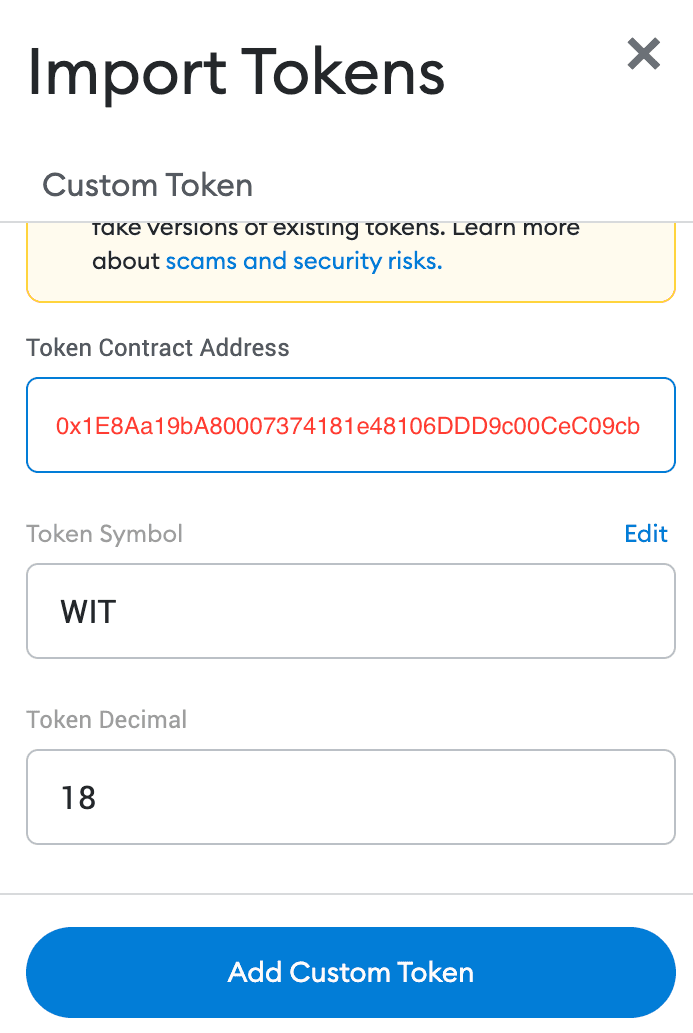
You can also send WIT to other people, which cost me 12 gas fee:
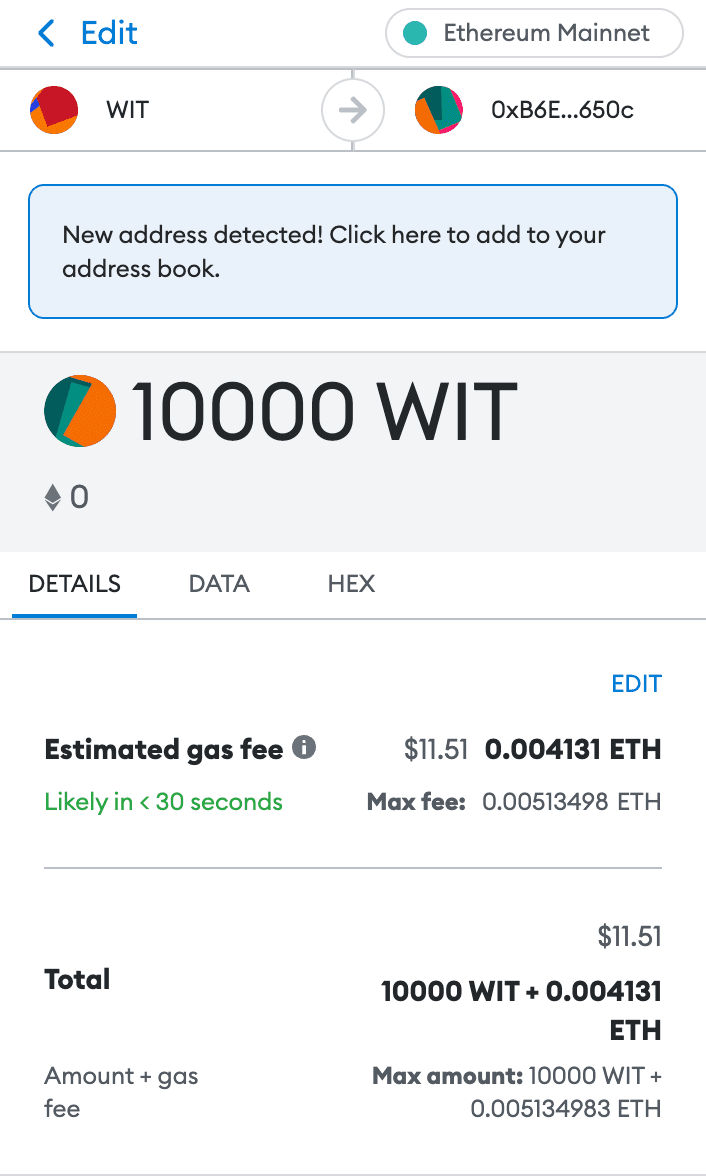
Contract Verification
arguments.js must be created to hold the contract constructor arguments - make sure that the arguments must match the ones you used to deploy the contract.
Then run the following with the deployed contract address:
npx hardhat verify --contract contracts/Token.sol:Token --constructor-args arguments.js --network ethereum 0x1E8Aa19bA80007374181e48106DDD9c00CeC09cb

...
Nothing to compile
Successfully submitted source code for contract
contracts/Token.sol:Token at 0x1E8Aa19bA80007374181e48106DDD9c00CeC09cb
for verification on the block explorer. Waiting for verification result...

Successfully verified contract Token on Etherscan.
https://etherscan.io/address/0x1E8Aa19bA80007374181e48106DDD9c00CeC09cb#code
Visit Etherscan.io to see the checkmark.
List Token on Uniswap
You can add the new token to a decentralized exchange (DEX) such as Uniswap for trading:
-
Create a liquidity pool
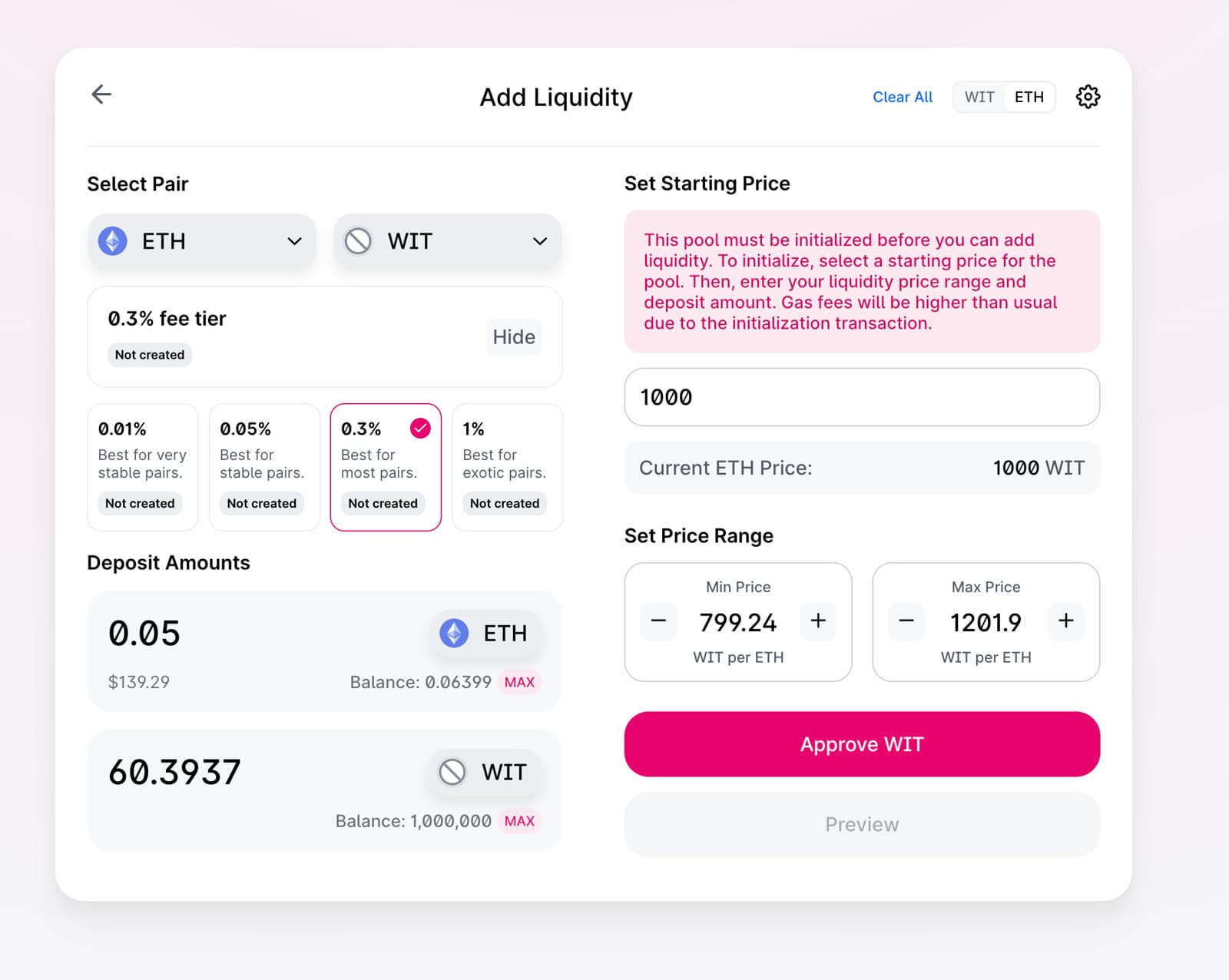
-
Approve the pool (cost: ~
$7):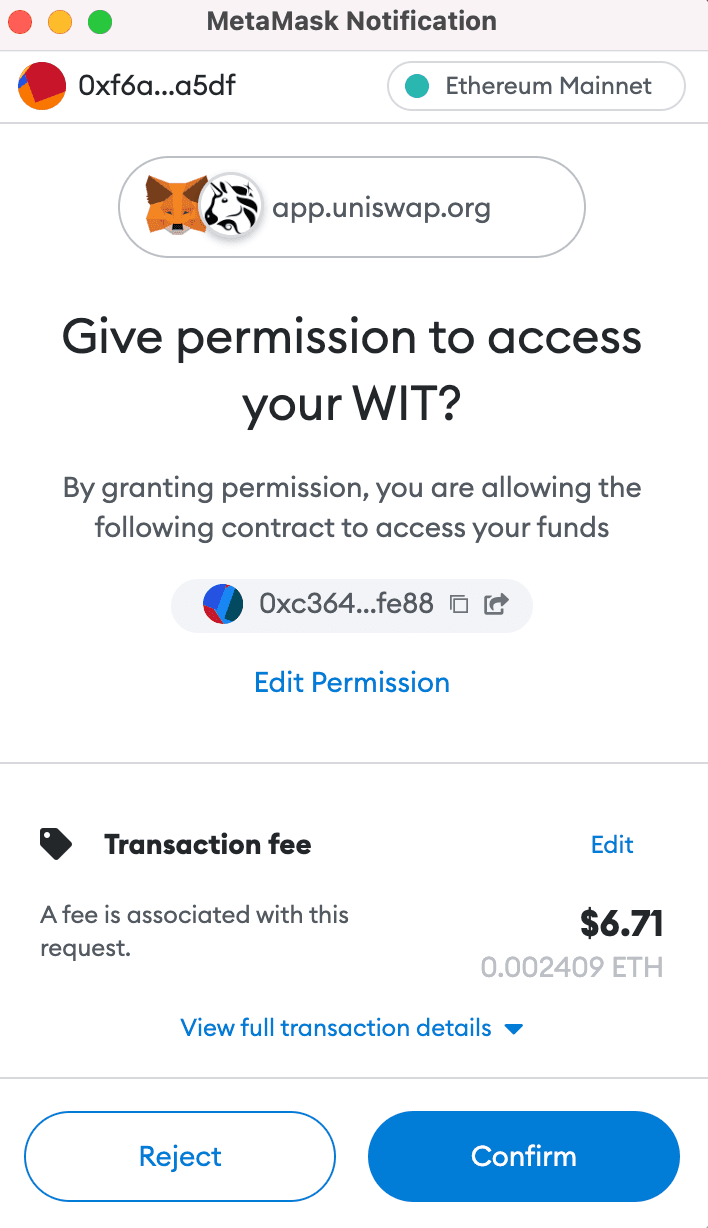
-
Add liquidity - the gas fee for this step is ridiculously high (~
$800), which seems to be the case for a new liquidity pool - I did not proceed ^-^: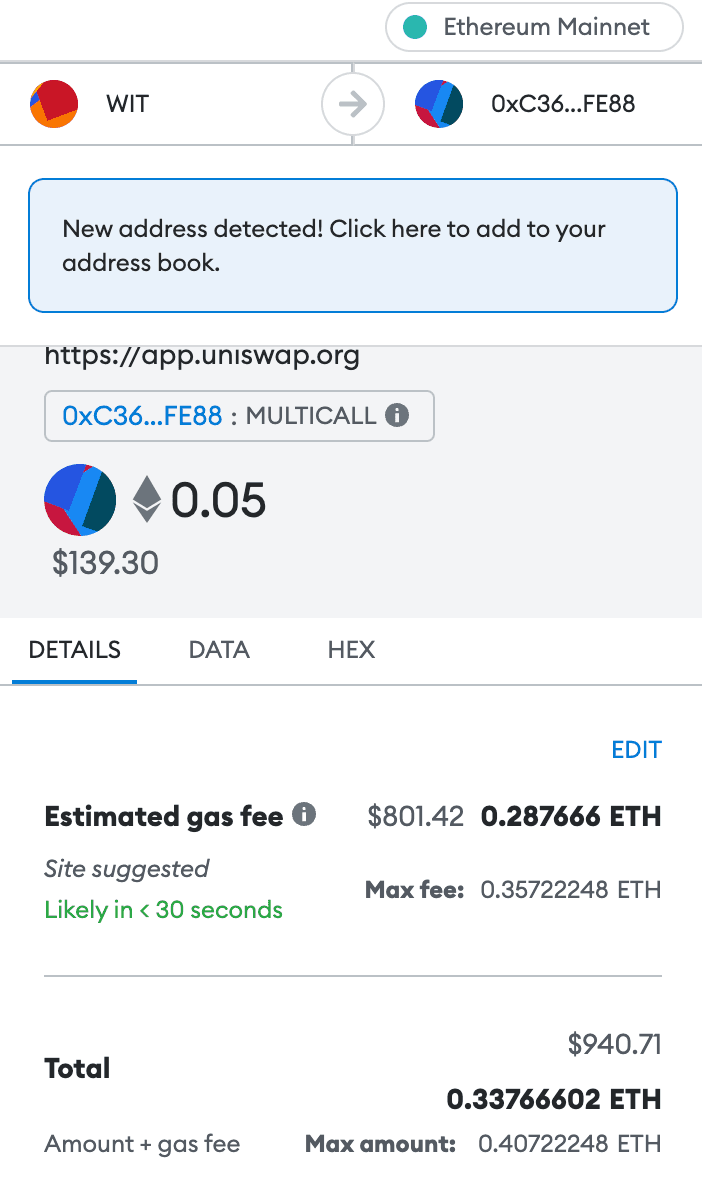
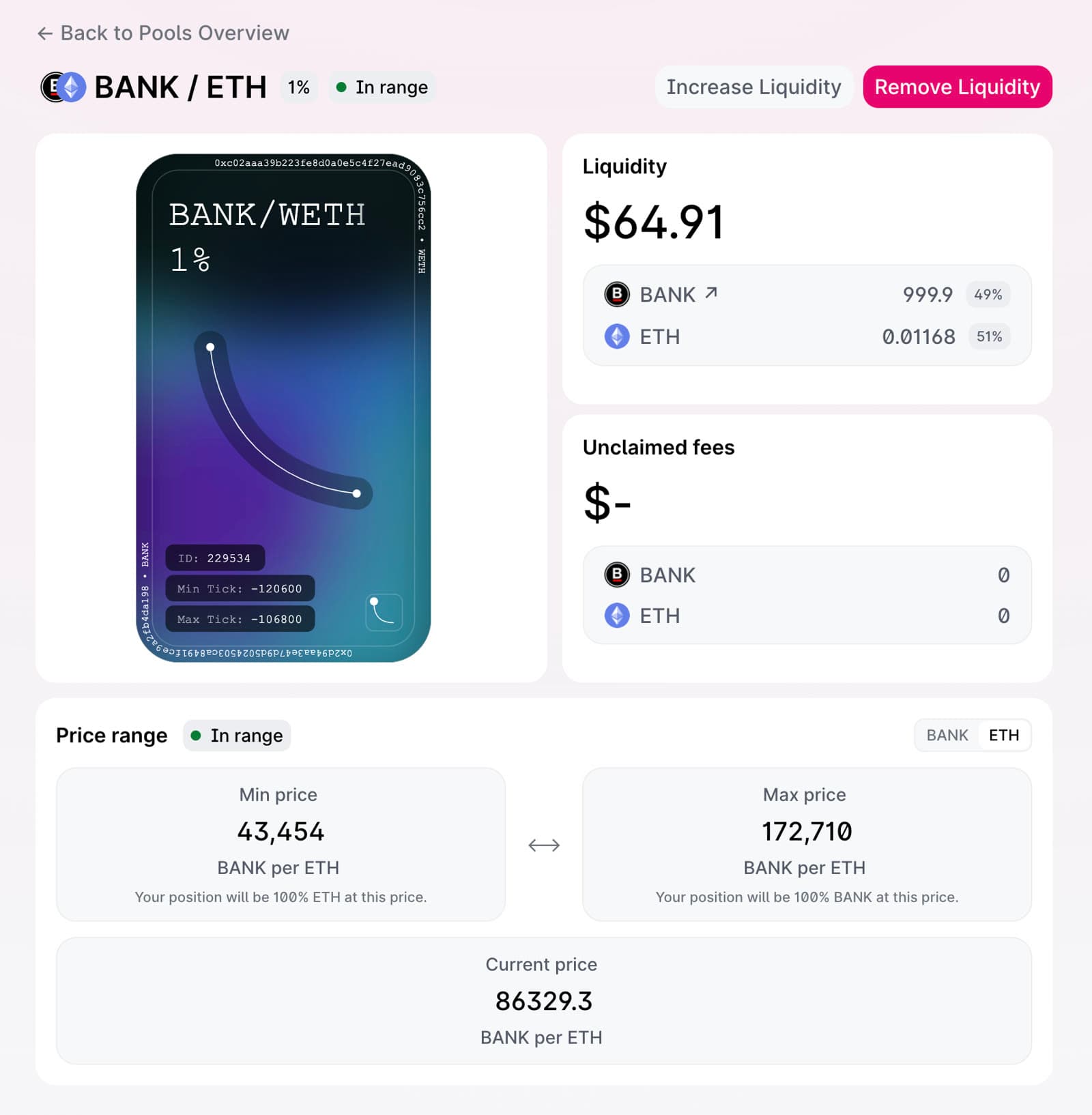
To complete this step, I added some BanklessDAO tokens to the liquidity pool to see how this works.
-
Paid ~
$7to approve BANK token: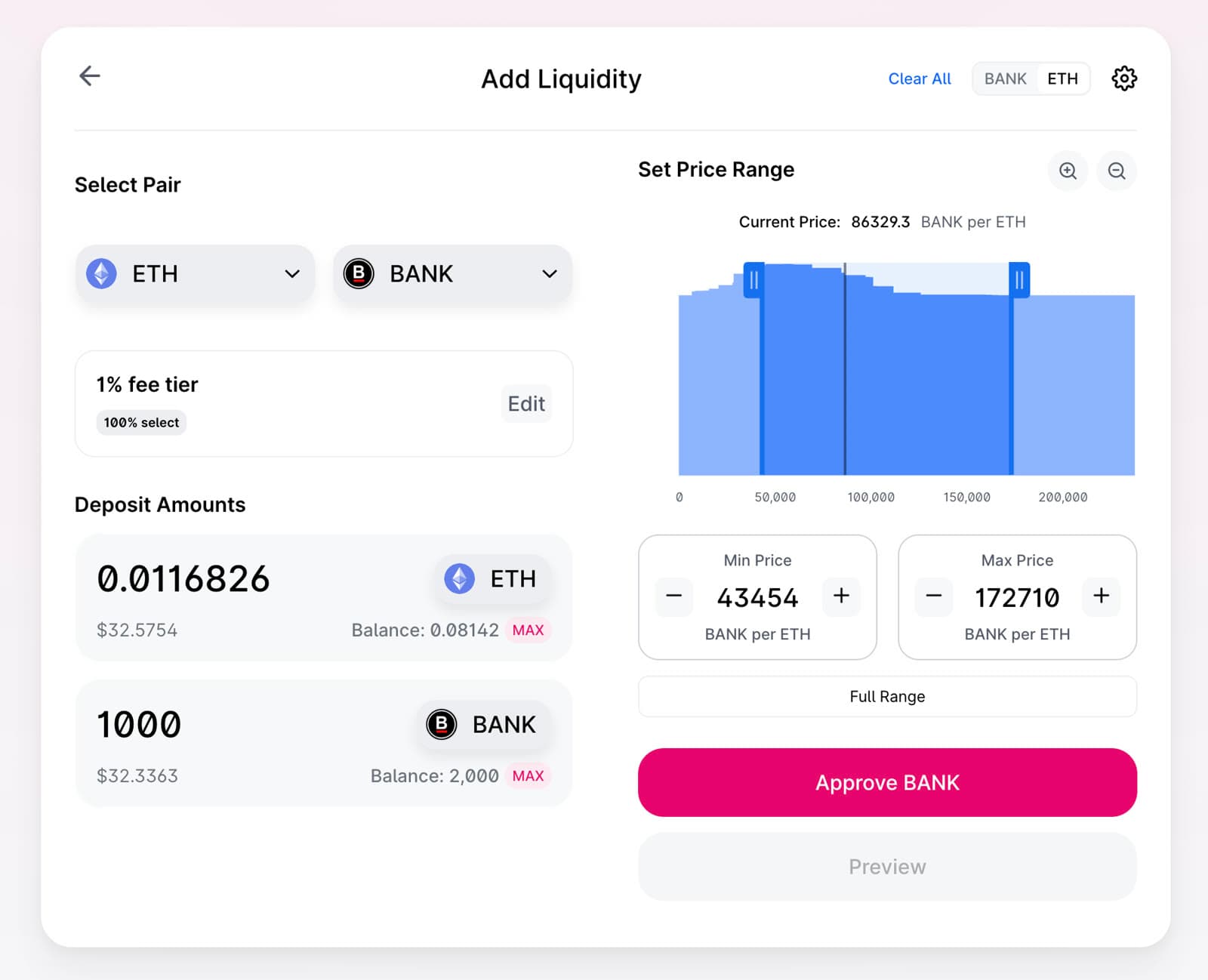
-
Add liquidity by paying ~
$60gas fee: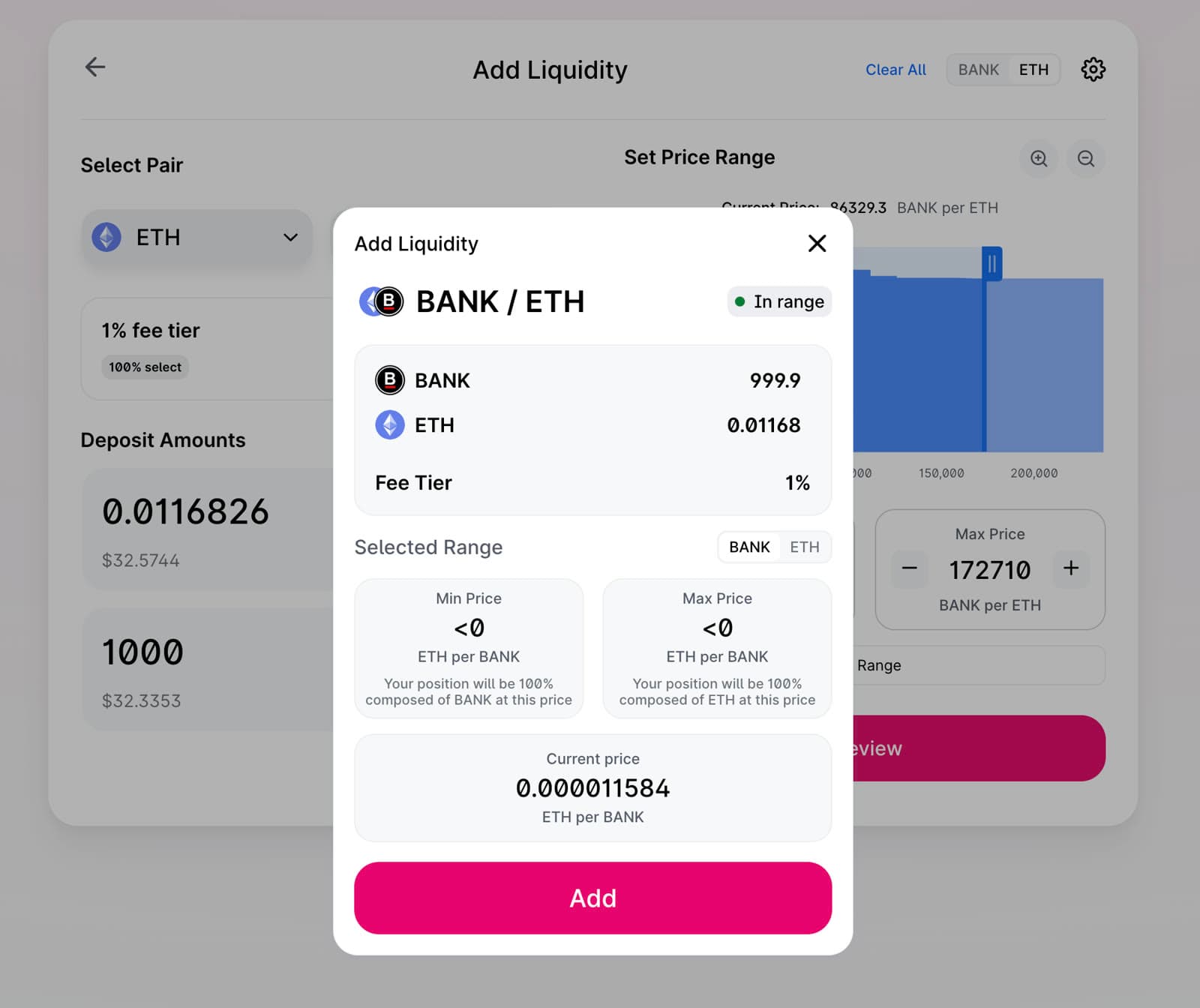
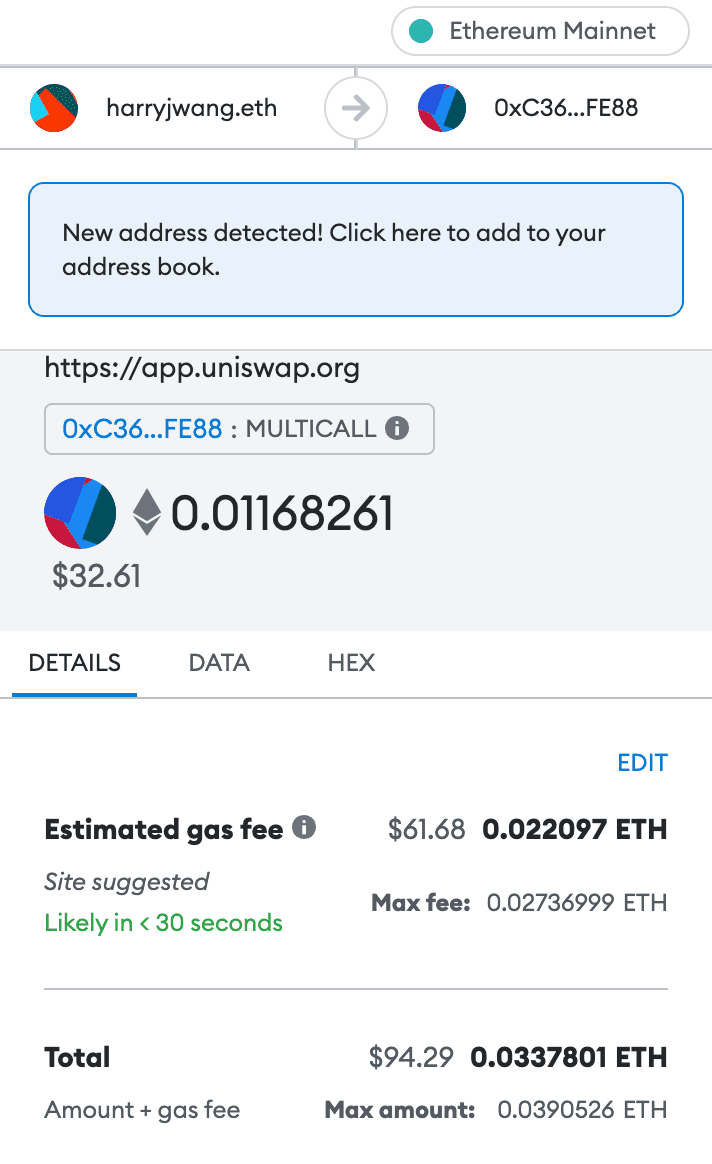
-
Now you can see your position:

PS. The image for this post is generated via Midjourney using the prompt "crypto currency in cyberspace, money making machine, cyberpunk, no human, hyperdetailed, future".